Hi Robin,
Your explanation makes sense if I was attempting a manual save first, but I am not. I do not do a manual save at all, and I do not want to do one. What I am hoping for is for SharpCap 4.1 to save a png image file and a png file “WithDisplayStretch” in the “processed” subfolder automatically at the end of each save-reset cycle with no manual “yes” overwrite intervention required.
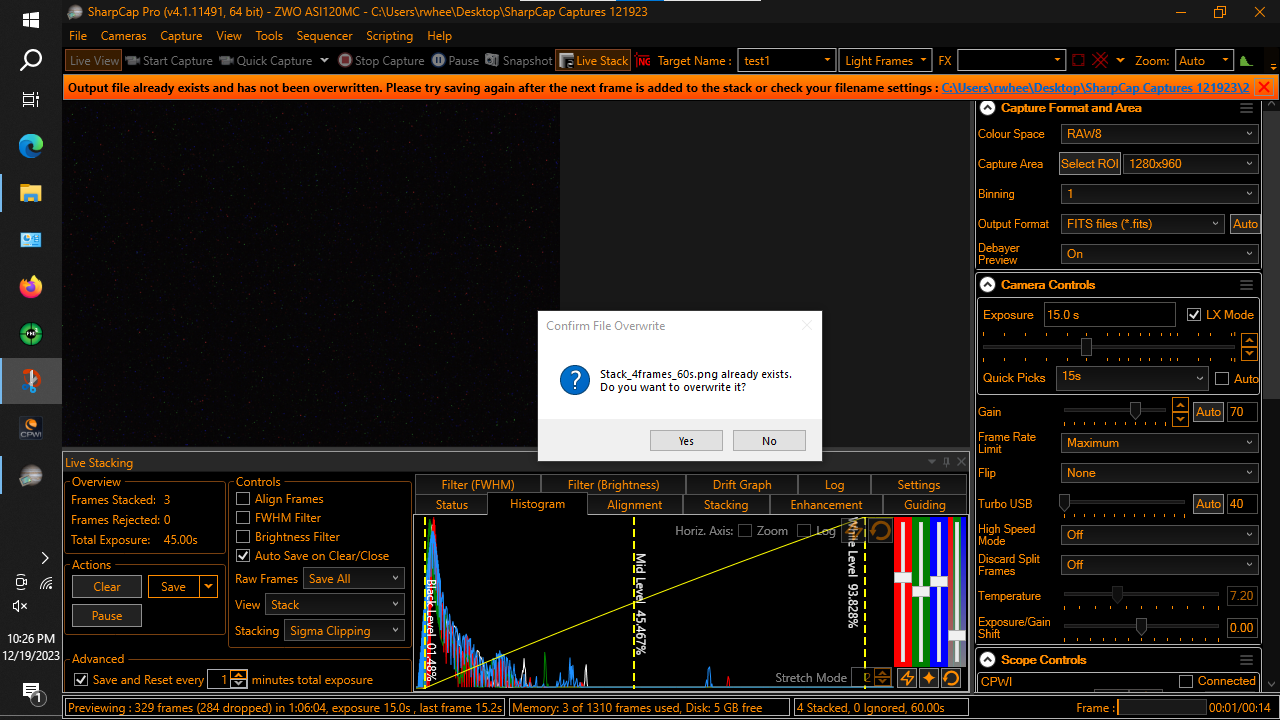
SharpCap 4.0 did this. But, 4.1 seems to interrupt the automatic save into the “processed” folder with a “yes” or “no” request to confirm an overwrite of a png image file that is already in the subfolder.
Per your suggestion, I looked at the log. I am not a very technical person and this is the first time I’ve looked at a SharpCap log so what I have to say may be way off base. Please bear with me.
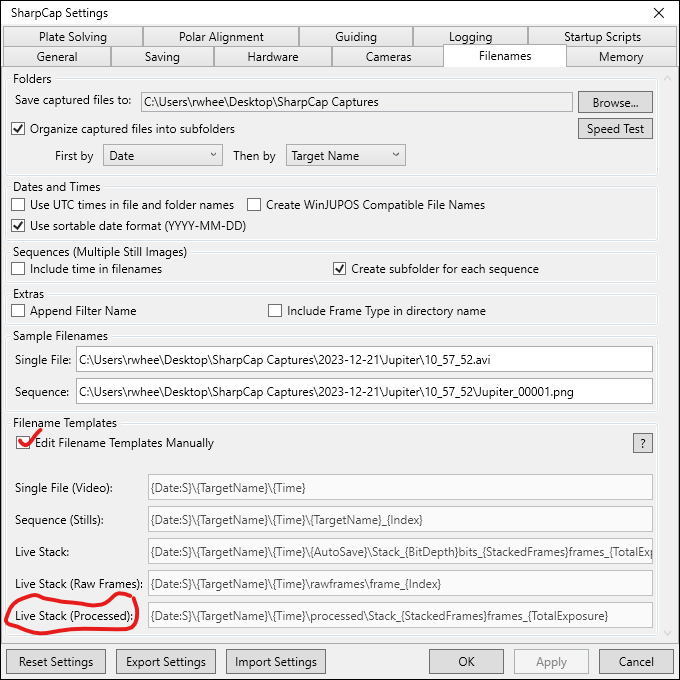
From what I see in the log, and with my limited ability to interpret what I am seeing, it appears that SharpCap 4.1 first writes a plain stacked png file to the “processed” subfolder. Then, instead of moving on to write an “as seen” png file with the string “WithDisplayStretch” appended to the file name, SharpCap 4.1 apparently attempts to write another plain png file with the unannotated png file name it just used. SharpCap 4.1 then presents the “overwrite” box asking for yes/no permission to overwrite the existing png file with a file of the same name.
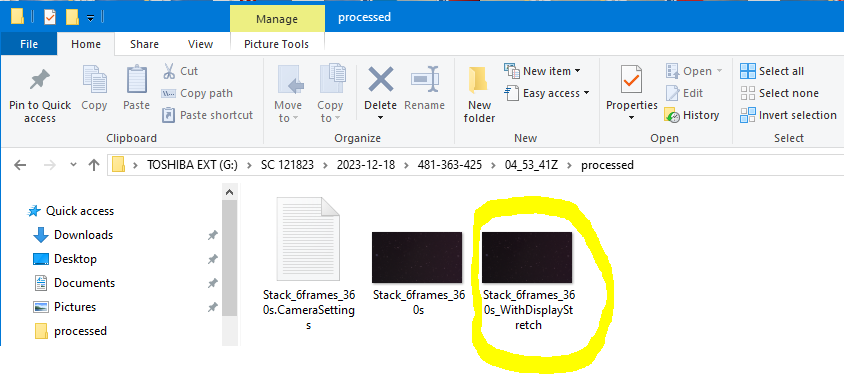
If “yes” is selected, SharpCap 4.1 overwrites the plain png file and then goes into an “as seen” routine that appends a string (I assume “WithDisplayStretch”) to a png file of what is likely just a screenshot of the displayed image and saves it. The end result is two png image files in the “processed” subfolder. One is named something like “Stack_6frames_360s,” and the other is “Stack_6frames_360s_WithDisplayStretch.”
If “no” is selected, no “processed” subfolder is generated, and no png files are saved.
I don’t know if any of this makes sense, but let me give you an example of what I am trying to do. Hopefully this will help.
I take images of asteroids. To do so, I slew my telescope to a field containing the target asteroids. I will typically stay on this field for one or two hours. I will live stack a series of six 60-second images over the course of the 1-2 hours. To do this, I will have the save-reset interval set to save a stack of 60-second images every six minutes.
Using SharpCap 4.0, every six minutes, the following items are saved in a discrete time-labeled folder: (1) a 16 and 32 bit fit file; (2) a subfolder named “raw files” containing a series of raw png or fit files; and (3) a “processed” subfolder containing a plain png image file and a png image file annotated as “WithDisplayStretch.” I use the fit files for photometry and astrometry and I use the png files for creating animated images of the asteroids. During one recent session, I reverted to using SharpCap version 4.0. The screenshot below shows what the “processed” folder contained at the end of one completely automatic six-minute save-reset cycle (no yes/no overwrite permission required).
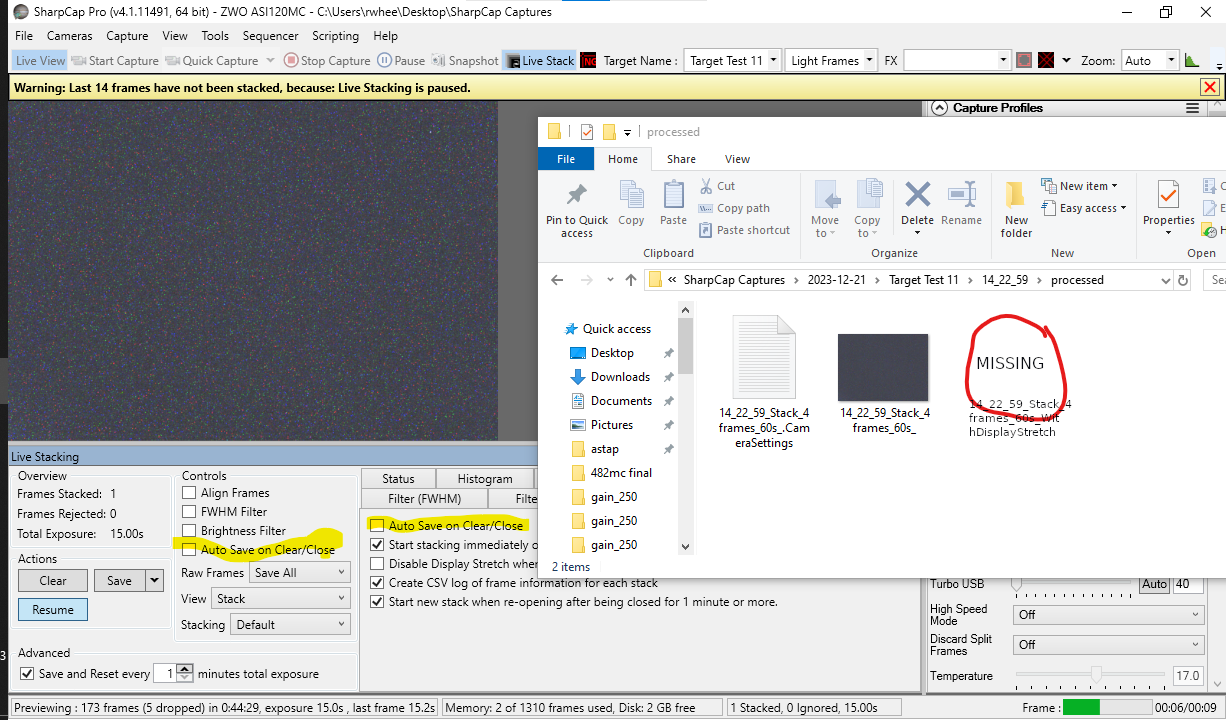
SharpCap 4.1 has no problem saving the fit images and raw file images automatically, just like 4.0. The problem seems to be saving files to the “processed” subfolder, specifically the “seen as” or “WithDisplayStretch” image. Because SharpCap 4.1 requires a manual overwrite “yes” every six minutes to get both images into the “processed” images subfolder, I am tethered to the computer. With SharpCap 4.0, however, the “processed” images subfolder was automatically populated at the end of every six-minute cycle and I was able to step away from the computer for brief intervals.
By the way, the comments in the log indicate that the “overwrite” prompt usually appears when there is not enough hard drive space available. I’ve double checked, and that is not an issue here.
Again, I hope this lengthy explanation is somewhat intelligible. If you think it might be helpful, I can send you an example log.
Regards,
Russ