Histogram profile and Offset

Somewhere to ask questions about the best way to use SharpCap
Forum rules
‍

If you have a problem or question, please check the FAQ to see if it already has an answer : https://www.sharpcap.co.uk/sharpcap-faqs
Post Reply
jonstarrysky
Posts: 23
Joined: Mon May 27, 2024 9:11 am

Histogram profile and Offset

#1

Post by jonstarrysky »

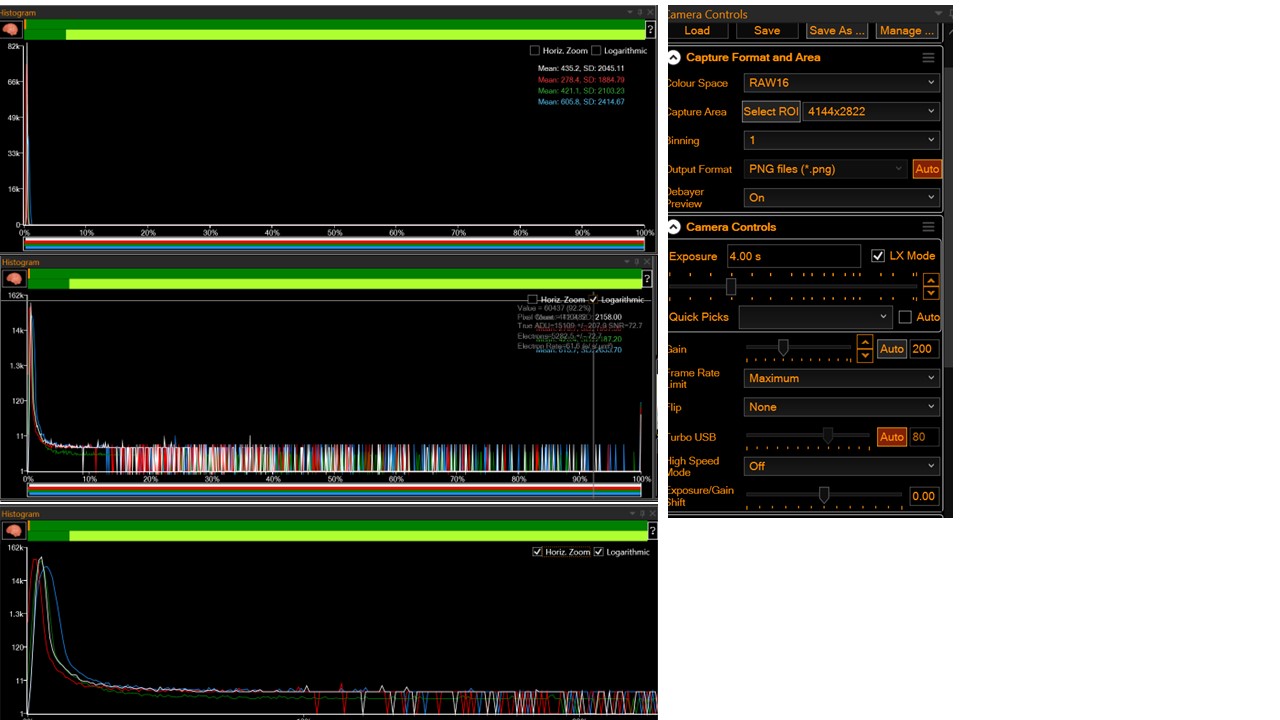
Hi, Appreciate any feedback on this. Please see Histogram screenshots with a ZWO 294MC camera in live view, with the scope pointing towards NGC7331. The image shows log and zoomed Histograms underneath. Gain 200. Exposure 4 sec.

Image

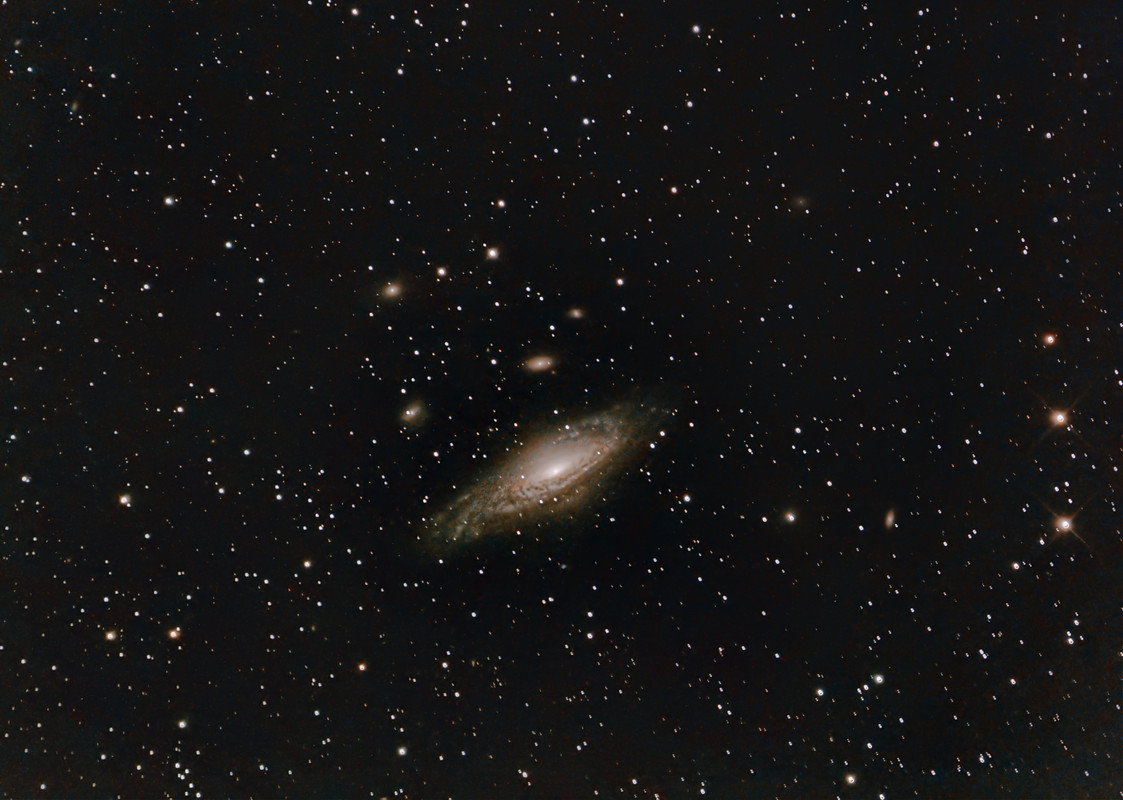
Seems like the main histogram peak is really close to the Y-axis, and the great majority of grey levels remain unused. But after a 5 min live-stack, histogram stretch and some post processing, the stacked image doesn’t look bad (see picture bottom).

Black Level/ Offset on my camera was set to 20 in SharpCap. The default offset for the 294MC camera that ZWO use is 30. Apparently SharpCap's brain button normally suggests lower Offset values of 10 or less.

With the lens cap on, the off-set needs to put the histogram main peak away from the Y-axis to avoid clipping. And just to the right of the red zone of the smart histogram top bar, to avoid read noise. But other than this I wondering what the practical impact the offset number has ?? If it literally means the first 10, 20 or 30 grey levels are wasted from a 16 bit image of 65,526 grey levels, does that matter ?

Alternatively, perhaps a low off-set improves SharpCap’s ability to identify stars for Stack alignment from the stream of raw images it receives i.e. stars stand out better above a lower background ? In fact looking at raw images it seems the background is decidedly not black.

With all the variables in this game, I like the idea of parking the offset at a single value that works under different scenarios eg after adding a filter, or changing gain somewhat etc and is never clipped.
Image
User avatar
turfpit
Posts: 2257
Joined: Mon Feb 13, 2017 8:13 pm
Location: UK
Contact:

Re: Histogram profile and Offset

#2

Post by turfpit »

Jon

See viewtopic.php?t=7696 post #9. You can test this out with just a camera connected to the computer, no need for a scope or darkness. The graphs are from FITS Liberator. The object was to achieve a value for the offset which made sure that the histogram did not touch the left or right hand axes of the bias frame.
I like the idea of parking the offset at a single value that works under different scenarios eg after adding a filter, or changing gain somewhat etc and is never clipped.
Be aware that a change of gain alters the offset - easy for you to test this. Adding a filter will not affect the bias frame.
Use of a narrowband filter drives exposures, longer exposures can affect the offset.

exposure.JPG
exposure.JPG (149.13 KiB) Viewed 1734 times


Before committing to a long imaging session, I always take a couple of test images and inspect them. The above are guidelines rather than rules. I have learnt that the universe does not give up its secrets easily.

Dave
User avatar
admin
Site Admin
Posts: 17464
Joined: Sat Feb 11, 2017 3:52 pm
Location: Vale of the White Horse, UK
Contact:

Re: Histogram profile and Offset

#3

Post by admin »

Hi,

my practical advice would be to set the offset to a value that works for dark frames at your usual gain - maybe set it a bit higher too without worrying. By setting it for dark frames, it will automatically be fine for any sort of light (even with filters).

The practical impact of the offset being too high is tiny (a very small reduction in dynamic range), whereas being too low is a problem due to black level clipping. Using frames with different offsets (ie darks different from lights, etc) is also a problem, so changing it is to be avoided. Pretty much all of SharpCap's algorithms from star detection to stacking will cope with some offset left in the images (same for other software - it's expected that there is a constant offset and that the background isn't plain black).

cheers,

Robin
jonstarrysky
Posts: 23
Joined: Mon May 27, 2024 9:11 am

Re: Histogram profile and Offset

#4

Post by jonstarrysky »

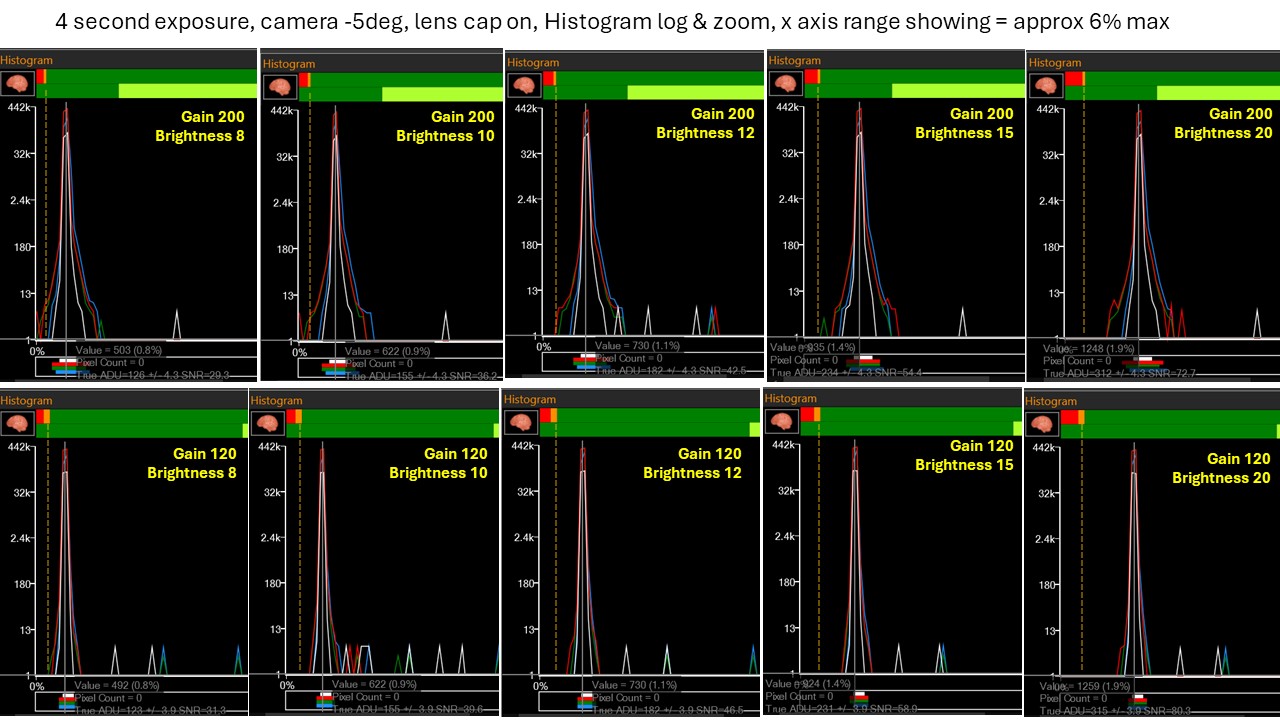
Thanks Robin, just to follow up I've done screen shots of the histogram at various off sets at the two gains I am using of 120 and 200 for the 294MC camera. I added a dotted orange line to show how the data fits with the orange part of the top bar. As you point out I need a brightness that can be left for any gain being used. Lights are taken at 4s (mount limitations).

I started imaging with off-set 20, which works comfortably at either gain, perhaps a little overkill. The white peak value = 1248 out of 65,512 grey levels. So we are ditching 1-2% of the dynamic range. Titrating down brightness, things start to get slightly non-ideal at brightness 10 for gain 200 because a very small amount of red data is hitting zero. Up a bit at brightness 12, seems to be keep all red,green,blue curves away from zero and in the green area of the top bar (just). From this I conclude that brightness 12 is pretty safe for either gain 120 or 200. Brightness 15 adds an extra margin of safety, whereas 20 seems a bit overkill, but in reality only a small fraction of dynamic range is being lost.

Image
Post Reply