Hi Robin,
last evening I had several crashes (SC Pro v4.1.11711 64bit) in Live Planetary Stacking, when
I try to create a time lapse of Jupiter.
Doing it manually works like a charm, but pressing the "Start Time Lapse" button crashes SC
(please see the attached log-file).
I tried changing the settings (png, tiff, avi) with no help.
I had set the "Target Stack Length" to 100 and a "Time Lapse Interval" of 10s.
The crash occurs shortly (less than 10 seconds) after pressing the button. and all
previous sharpening adjustments were lost.
Thank you for looking!
Best regards,
Michael
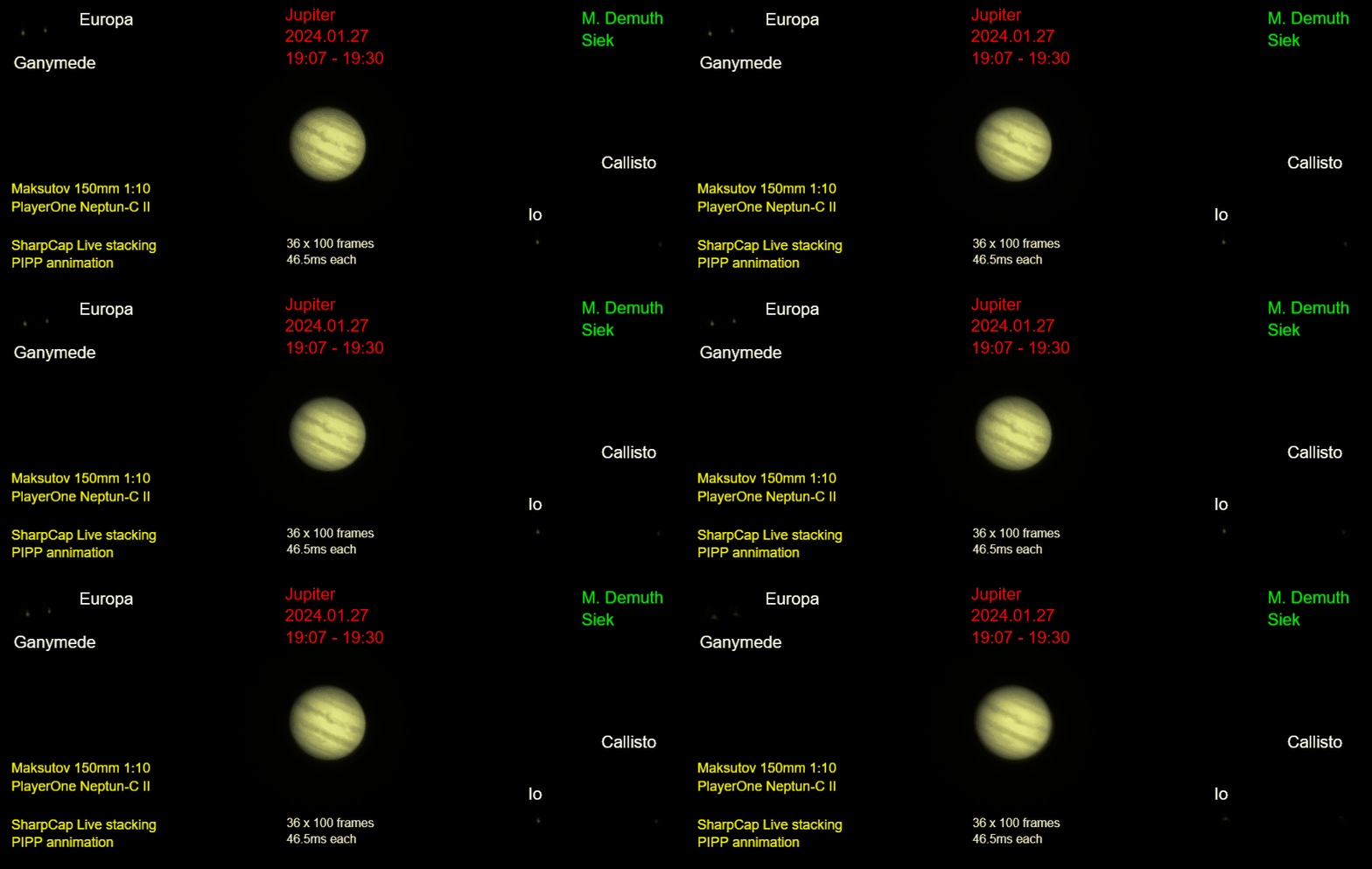
A short annimation done by manually taking shots can be seen here:
http://www.twus.de/astro/Jupiter_2024_0 ... _lable.gif
Crash Live Solar Stacking: Time Lapse
Forum rules
If you have a problem or question, please check the FAQ to see if it already has an answer : https://www.sharpcap.co.uk/sharpcap-faqs
Please also read about Troubleshooting USB Issues before posting.
*** Please do not post license keys - please report any problems with licensing to 'admin' by private message ***
Please include the following details in any bug report:
* Version of SharpCap
* Camera and other hardware being user
* Operating system version
* Contents of the SharpCap log after the problem has occurred.
[If SharpCap crashes, please send the bug report when prompted instead of including the log]
If you have a problem or question, please check the FAQ to see if it already has an answer : https://www.sharpcap.co.uk/sharpcap-faqs
Please also read about Troubleshooting USB Issues before posting.
*** Please do not post license keys - please report any problems with licensing to 'admin' by private message ***
Please include the following details in any bug report:
* Version of SharpCap
* Camera and other hardware being user
* Operating system version
* Contents of the SharpCap log after the problem has occurred.
[If SharpCap crashes, please send the bug report when prompted instead of including the log]
Crash Live Solar Stacking: Time Lapse
- Attachments
-
- Log_2024-01-27T18_25_36-4840.zip
- (12.59 KiB) Downloaded 86 times
-
admin

- Site Admin
- Posts: 17530
- Joined: Sat Feb 11, 2017 3:52 pm
- Location: Vale of the White Horse, UK
- Contact:
Re: Crash Live Solar Stacking: Time Lapse
Hi Michael,
I think I have seen this particular issue in the uploaded bug reports - when I added the code for grouping the saved files into a single folder, it introduced an issue where certain filename settings can cause each TIF file saved in a timelapse to have the same name, which the saving code objects to (it's set up not to overwrite as that would be bad...).
I have a fix for TIF, surprised it would affect AVI or SER - will check.
cheers,
Robin
I think I have seen this particular issue in the uploaded bug reports - when I added the code for grouping the saved files into a single folder, it introduced an issue where certain filename settings can cause each TIF file saved in a timelapse to have the same name, which the saving code objects to (it's set up not to overwrite as that would be bad...).
I have a fix for TIF, surprised it would affect AVI or SER - will check.
cheers,
Robin
Re: Crash Live Solar Stacking: Time Lapse
Hi Robin,
thanks for looking!
In the error box I clicked the send button without entering a comment (I was not aware that it sends
immediately), so I openend a bug report with more details.
Forgot to write that the Solar Live stacking feature is a great tool and gives better results than I got
with autostakkert3. Thanks a lot for all the great features!
cheers,
Michael
thanks for looking!
In the error box I clicked the send button without entering a comment (I was not aware that it sends
immediately), so I openend a bug report with more details.
Forgot to write that the Solar Live stacking feature is a great tool and gives better results than I got
with autostakkert3. Thanks a lot for all the great features!
cheers,
Michael
-
admin
- Site Admin
- Posts: 17530
- Joined: Sat Feb 11, 2017 3:52 pm
- Location: Vale of the White Horse, UK
- Contact:
Re: Crash Live Solar Stacking: Time Lapse
Hi Micheal,
I suspect that you probably could get better results in AutoStakkert/Registax/Wavesharp/etc if you try hard enough. However, the fast feedback that you have in SharpCap where you see the results of your changes almost instantly gives you a big advantage in choosing good values for the various settings. In a more traditional processing workflow, you might not see the full results of your setting choices until several stages later, which makes things harder to optimise.
cheers,
Robin
I suspect that you probably could get better results in AutoStakkert/Registax/Wavesharp/etc if you try hard enough. However, the fast feedback that you have in SharpCap where you see the results of your changes almost instantly gives you a big advantage in choosing good values for the various settings. In a more traditional processing workflow, you might not see the full results of your setting choices until several stages later, which makes things harder to optimise.
cheers,
Robin
Re: Crash Live Solar Stacking: Time Lapse
Hi Robin,
sorry for the late reply, only yesterday weather and time permits to check.
I used SC 4.1.11786 and I had no more crashes creating avi and tiff time lapses.
Thank you very much for the fast solution (faster than the weather permits
BTW: I do not want to reduce the reputation of autostakkert (new version V4 out now),
it does a great job. SC Live Planetary Stacking shows faster results (and a little bit better
results (sharper pictures) with my talent using autostakkert).
Cheers,
Michael
sorry for the late reply, only yesterday weather and time permits to check.
I used SC 4.1.11786 and I had no more crashes creating avi and tiff time lapses.
Thank you very much for the fast solution (faster than the weather permits
BTW: I do not want to reduce the reputation of autostakkert (new version V4 out now),
it does a great job. SC Live Planetary Stacking shows faster results (and a little bit better
results (sharper pictures) with my talent using autostakkert).
Cheers,
Michael
-
admin
- Site Admin
- Posts: 17530
- Joined: Sat Feb 11, 2017 3:52 pm
- Location: Vale of the White Horse, UK
- Contact:
Re: Crash Live Solar Stacking: Time Lapse
Hi Michael,
good to hear that the fix has worked for you. Fingers crossed the latest 4.1.11786 fixes all of the issues I know about causing crashing in planetary live stacking
cheers,
Robin
good to hear that the fix has worked for you. Fingers crossed the latest 4.1.11786 fixes all of the issues I know about causing crashing in planetary live stacking
cheers,
Robin
Re: Crash Live Solar Stacking: Time Lapse
Hi Robin,
it is a long time but I want to say that the issues had been fixed. Thanks a lot!
Cheers,
Michael
PS: A month ago I made a 4 hour Jupiter video with Live Planetary stacking and afterwards the video was overexposed (as are the live frames) and not good exposed (as are the single stacked frames). For me it seems as if the raw frames were put into the movie and not the stacked frames.
But I can not prove that that is true, as I only checked the process from time to time. For a better video days later I had to use a little under exposure (missing the moons) to have a correct exposed video of Jupiter (only want to let you know).
it is a long time but I want to say that the issues had been fixed. Thanks a lot!
Cheers,
Michael
PS: A month ago I made a 4 hour Jupiter video with Live Planetary stacking and afterwards the video was overexposed (as are the live frames) and not good exposed (as are the single stacked frames). For me it seems as if the raw frames were put into the movie and not the stacked frames.
But I can not prove that that is true, as I only checked the process from time to time. For a better video days later I had to use a little under exposure (missing the moons) to have a correct exposed video of Jupiter (only want to let you know).
-
admin
- Site Admin
- Posts: 17530
- Joined: Sat Feb 11, 2017 3:52 pm
- Location: Vale of the White Horse, UK
- Contact:
Re: Crash Live Solar Stacking: Time Lapse
Hi,
glad to hear the issues are now fixed for you.
On the overexposed issue, if the raw frames are overexposed then live planetary stacking will also be overexposed - there is no rescuing data that is overexposed. On the other hand, if the raw frames are correctly exposed then live planetary stacking can *still* be overexposed, as combinations of the brightness/colour balance and sharpening settings can mean that the stacked image ends up brighter than the input raw images. Normally I would expect this to be something that you could spot at the beginning of the stack and adjust as required, but perhaps there was some thin haze at the start of the stack that later cleared - that would mean that your correct settings at the start of the stack would end up being overexposed (either in the camera settings or in the stack) as the haze cleared and the planet became brighter.
There is also a feature to try to normalize the image brightness of the stacked frames to avoid flicker - that could end up trying to brighten images to overexposed levels if the initial reference image in the timelapse was overexposed, but that brings us back to the exposure having to be wrong at the start of the timelapse, which would almost certainly be spotted, so I think that can be ruled out.
cheers,
Robin
glad to hear the issues are now fixed for you.
On the overexposed issue, if the raw frames are overexposed then live planetary stacking will also be overexposed - there is no rescuing data that is overexposed. On the other hand, if the raw frames are correctly exposed then live planetary stacking can *still* be overexposed, as combinations of the brightness/colour balance and sharpening settings can mean that the stacked image ends up brighter than the input raw images. Normally I would expect this to be something that you could spot at the beginning of the stack and adjust as required, but perhaps there was some thin haze at the start of the stack that later cleared - that would mean that your correct settings at the start of the stack would end up being overexposed (either in the camera settings or in the stack) as the haze cleared and the planet became brighter.
There is also a feature to try to normalize the image brightness of the stacked frames to avoid flicker - that could end up trying to brighten images to overexposed levels if the initial reference image in the timelapse was overexposed, but that brings us back to the exposure having to be wrong at the start of the timelapse, which would almost certainly be spotted, so I think that can be ruled out.
cheers,
Robin
Re: Crash Live Solar Stacking: Time Lapse
Hi Robin,
thanks for your time.
I had checked (at least in the beginning and from time to time) that the stacked frames are not overexposed (the unprocessed frames were overexposed). I was wondering why it is possible that the stacked frames can be okay, but I thought that that was the cause of my filter settings.
And surely haze could have been a problem. I think not in the beginning, but along the 4 hours.
The next days I experimented with the settings under "Time Lapse" (normalize etc.), but was only successful with timings when SC warns about underexposure. Normalize seems not to have the effect, I was expecting. But may be I could have done sth. wrong.
So I was at least skeptical if the stacked frames (sum pictures with filters applied) which look good to me, end up in the video or not .
For the movie (days later) I was sitting at my notebook all the time and was adjusting the gain to keep the stacked frames away from overexposure.
BTW: the SC version was 4.1.13170.0
Thanks and cheers,
Michael
thanks for your time.
I had checked (at least in the beginning and from time to time) that the stacked frames are not overexposed (the unprocessed frames were overexposed). I was wondering why it is possible that the stacked frames can be okay, but I thought that that was the cause of my filter settings.
And surely haze could have been a problem. I think not in the beginning, but along the 4 hours.
The next days I experimented with the settings under "Time Lapse" (normalize etc.), but was only successful with timings when SC warns about underexposure. Normalize seems not to have the effect, I was expecting. But may be I could have done sth. wrong.
So I was at least skeptical if the stacked frames (sum pictures with filters applied) which look good to me, end up in the video or not .
For the movie (days later) I was sitting at my notebook all the time and was adjusting the gain to keep the stacked frames away from overexposure.
BTW: the SC version was 4.1.13170.0
Thanks and cheers,
Michael
-
admin
- Site Admin
- Posts: 17530
- Joined: Sat Feb 11, 2017 3:52 pm
- Location: Vale of the White Horse, UK
- Contact:
Re: Crash Live Solar Stacking: Time Lapse
Hi Michael,
I'm afraid I can't see an obvious reason for things to turn out that way - if the individual frames are overexposed then the stacked image should get the same overexposed regions (you can't rescue detail from an overexposed region). The only vague idea that comes up is if the overexposure in the individual frames is inconsistent (comes and goes). Combine that with a quality filter enabled in planetary live stacking that will only stack the frames with higher contrast, that might explain things a bit - the overexposed frames will have lower contrast as detail is lost in the overexposed regions, so they will be less likely to be added to the stack than the well exposed frames.
cheers,
Robin
I'm afraid I can't see an obvious reason for things to turn out that way - if the individual frames are overexposed then the stacked image should get the same overexposed regions (you can't rescue detail from an overexposed region). The only vague idea that comes up is if the overexposure in the individual frames is inconsistent (comes and goes). Combine that with a quality filter enabled in planetary live stacking that will only stack the frames with higher contrast, that might explain things a bit - the overexposed frames will have lower contrast as detail is lost in the overexposed regions, so they will be less likely to be added to the stack than the well exposed frames.
cheers,
Robin